www.gkos.com
The GKOS has now been completely upgraded, see: ComboKey >>
ComboKey on Facebook >>
GKOS - a new
category of full-featured physical keyboards:
Not QWERTY, not exactly
Wearable - but for Small Wireless Devices!
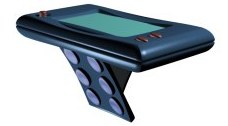
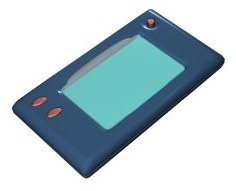
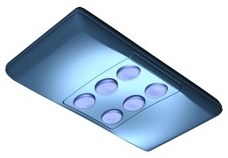
Physically
on the back or virtually on the multi-touch
screen. - See key mappings
between screen and back panel.

| Description of the Android Application as an
example: "A chorded thumb keyboard with big buttons and on-screen help for phones and tablets. You can enter text by pressing a single key (left or right) or two keys together (left plus right). This innovative typing method is based on the GKOS keyboard open standard, and provides fast single handed or two handed chordic text entry. When used as a tablet keyboard, it only covers small areas towards the sides of the screen. No memorizing of chords needed. Just start typing to get the idea. The most frequent letters are on single keys. The typing speed is only limited by how fast you can tap your thumbs on the few big keys on the screen. Finally an easy and practical way to enjoy the benefits of chording!" |
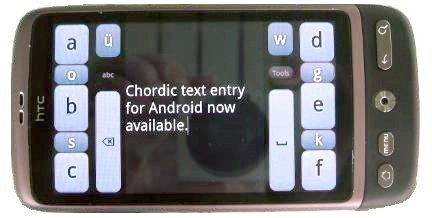
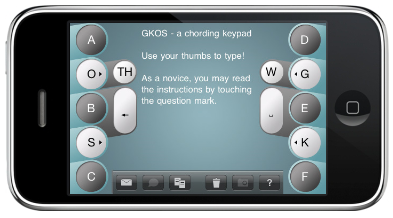
GKOS Keyboard On Screen:
GKOS Application for Android (Phone and Tablet
now!) >> - The
iPhone GKOS Application >> - A Demo
video >>
GKOS for Nokia N9: The MeeGo Harmattan GKOS
Application >> - GKOS for WP
7 and 8: The Windows Phone
GKOS Application >>
GKOS
Keyboard for Jolla Sailfish OS: ComboKey >>
GKOS
Character
Set - FAQ - DEMOS
- More
information on GKOS >>
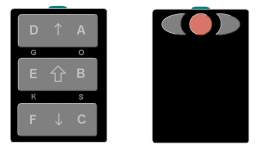
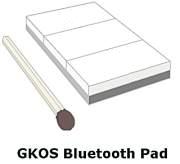
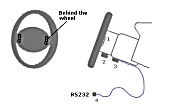
See
demo
of how to use a device like this (bottom and top) - This
is another GKOS wireless keyboard - Type'n Drive? GKOS
on the wheel.
Related site: www.sixback.com
- Build one: www.gkos.net - Try GKOS
on your QWERTY - GKOS Google
Sites
GKOS Wiki: wiki.gkos.com - GKOS
Linux: gkos.com/linux - GKOS for
Thumbs on a Touch screen!
- Multitouch Test testing
your touch screen
Follow
GKOS on Twitter: twitter.com/GKOSkeyboard
visitors since ...
Keywords: GKOS chording
keyboard (chord keyboard, chordic keyboard), SixBack
keyboard
sointunäppis, sointunäppäimistö, virtuaalinäppis,
yhdistelmänäppäimistö, näpellin, tekstinäpellin,
knapprator, textknapprator, GKOS napisto, takapainimet,
taustapainimet, takanapisto, taustanapisto, painelimet,
takapainikkeet, taustapainikkeet
Simple
html hints
-